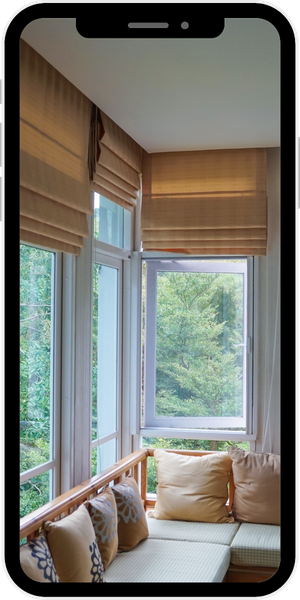
See It Before You Buy
Design Your Space with the Graber Visualizer
Not sure which window treatments are right for your home? With the Graber Visualizer, you can upload a photo of your own room — or choose from sample room scenes — and instantly preview blinds, shades, and shutters in different colors, textures, and opacities. Try as many looks as you’d like, then bring your favorites to your next consultation with our team so we can help bring your vision to life.
How to Use the Graber Visualizer
Whether you already have a vision or just need some design inspiration, the Graber Visualizer makes it simple to preview custom window treatments before you buy. It only takes a few clicks to start picturing new blinds, shades, or shutters in your own home.
To get started, simply follow these steps:
- Upload a photo of your room, or choose from one of the sample rooms provided.
- Select a product type — blinds, shades, shutters, and more.
- Try different fabrics and colors to see what looks best in your space.
- Preview how your treatment looks opened, closed, and everywhere in between.
- Review your selected configuration and specifications.
- Download a product sheet of your finished design to save or share.
If you have questions about window treatment styles or need help choosing the best option for your home, we’re here for you. Our team at Blind Ambitions is happy to walk through your Visualizer results with you and schedule an in-home consultation to bring your design to life.